

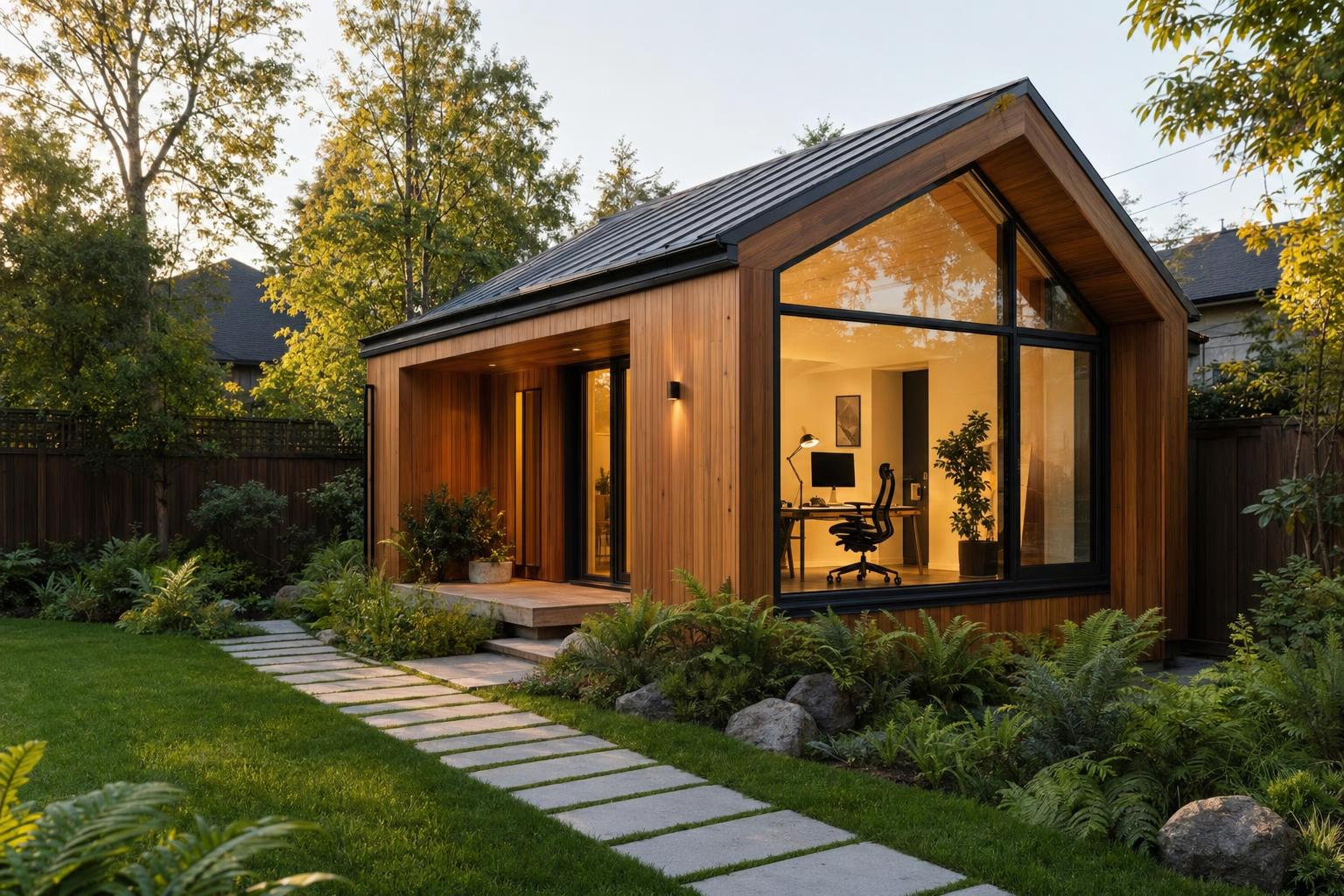
Remote Work ADU in 2026: How to Design a Flexible Backyard Office That Actually Works
Estimated reading time: 12 minutes
Key Takeaways
- A remote work ADU is a detached or secondary unit designed to function as a dedicated workspace, such as a backyard studio, laneway suite, converted garage, or carriage house.
- In 2026, these spaces matter because return-to-office policies are shifting in Canada, yet many people still need dependable space for hybrid work, contract work, or side businesses.
- The best ADU office setups prioritize separation, comfort, acoustics, internet reliability, and future flexibility.
- Before buying furniture or tech, review Canadian ADU regulations, permits, electrical planning, HVAC, and local business-use rules.
- For most properties, Cat6 Ethernet in conduit, good insulation, layered lighting, and a mini-split will deliver more day-to-day value than flashy upgrades.
- Smart home features work best when they improve real problems like glare, temperature swings, security, and energy use, especially with smart home technology for ADUs.
- A well-planned workspace should still be useful later as guest space, a studio, or rental space where local rules allow.
Table of contents
- What a remote work ADU is and why it makes sense in 2026
- Planning, permits, and Canadian compliance before you buy furniture or tech
- ADU office layout and home office design by unit size
- Connectivity and networking for a reliable remote work ADU
- Smart home integration that actually improves an ADU office
- Canadian tech 2025 updates that matter for ADU offices in 2026
- Power, backup, and sustainability for an ADU office
- Security, privacy, and maintenance
- Budgeting, timeline, and procurement
- Example remote work ADU setups
- Step-by-step setup checklist
- Frequently Asked Questions
A remote work ADU is an accessory dwelling unit, such as a backyard studio, laneway suite, converted garage, or carriage house, that is designed or upgraded to work as a dedicated professional workspace.
In 2026, that matters more than ever. Some Canadian employers and public-sector bodies are tightening return-to-office rules, but many workers still need a dependable setup at home for hybrid days, contract work, side businesses, or fully remote roles. Recent reporting on remote work options ending in 2026, policy changes affecting public and private-sector workers, and questions around remote work for Canada’s civil servants all point to the same conclusion: flexibility now matters more than certainty.
A well-planned ADU office can give you something a spare bedroom often cannot: real separation. You get fewer household interruptions, better privacy for calls, less commute stress, and a space that feels built for work.
The smartest remote work ADU is not just a home office. It is a flexible property upgrade that works well now and still makes sense later.
This guide explains how to equip a new or existing remote work ADU with practical home office design, strong internet and networking, useful smart home features, and key 2025 Canadian tech trends that still matter in 2026.
What a remote work ADU is and why it makes sense in 2026
A remote work ADU is a self-contained secondary unit on the same property as your main home that is set up for work, not just living. It may include a desk, reliable connectivity, better lighting, sound control, heating, and storage that support long workdays. For a closer look at the concept, see this guide to a home office ADU for backyard productivity and this overview of an ADU home office in Canada.
An ADU office can be:
- A detached backyard studio
- A converted garage
- A laneway house
- A carriage house
- A small suite attached to or above another structure
Why does this work so well for homeowners?
- It cuts down noise from the main house
- It creates a clear line between work life and home life
- It improves privacy for video calls
- It gives a more professional setting for client-facing work
That benefit becomes even clearer when paired with better noise reduction in Canadian housing, stronger soundproofing for privacy, and intentional privacy design in small spaces.
Why now?
Office policies may keep changing, but many Canadians still need a reliable place to work from home several days a week. A remote work ADU gives you that stability without depending on your kitchen table or a corner of the basement. This is especially true when looking at broader remote work trends and the growing appeal of a remote work retreat in Canada.
It also gives your property more flexibility. If remote work needs change later, the same unit may still work as guest space, a hobby room, or a future rental, depending on local rules.
Good home office design in an ADU should balance four things:
- Productivity
- Comfort
- Energy efficiency
- Future resale or reuse
That balance matters more in 2026 because homeowners cannot assume remote work rules will stay the same forever. Ongoing legal commentary on remote work in 2026 reinforces that point.
Planning, permits, and Canadian compliance before you buy furniture or tech
Before you shop for a desk, monitor, or automation gear, check what is legal and possible on your property. The rules shape the whole project. Start with a clear understanding of ADU permits in Canadian cities and this broader ADU legal clinic guide for Canada in 2026.
Start with this planning checklist:
- Confirm zoning and municipal ADU rules
- Confirm maximum floor area and lot coverage
- Verify setbacks, height limits, and parking rules if they apply
- Check whether the ADU can be used as a workspace full-time
- Ask if business use triggers any extra local requirements
Rules vary by city and province. A remote work ADU that is simple to approve in one place may need more review somewhere else.
Always check your local planning portal and permit office first.
Main permit types in plain language
- Building permit: for structural work and construction
- Electrical permit: for circuits, panel work, outlets, and wiring
- Plumbing permit: if you add a sink, washroom, or kitchenette
- HVAC permit or inspection: for heating, cooling, and ventilation work
- Fire code compliance: for smoke alarms, egress, and life safety
Office-specific building details
An ADU office often needs more electrical and comfort planning than a normal room. Think beyond a laptop and one lamp. Review guides on utility connections for Canadian ADUs and whether an ADU can have separate meters.
Key points:
- A dedicated 20-amp circuit is often a smart choice if your work equipment load supports it
- Plan more outlets than you think you need
- Include power for monitors, chargers, task lights, router gear, printers, and backup power
- Size heating and cooling properly
- Mini-splits are often a good fit because they are efficient and easy to control separately
- Ventilation matters for comfort, air quality, and alertness during long workdays
For climate planning, look at using a heat pump for a tiny home, this eco-friendly heating guide for ADUs in Canada, and advice on air quality in tiny homes.
Future-proof the space
Build for the next use, not just today’s use.
- 36-inch doorways for better accessibility
- Adjustable-height furniture for different users
- Acoustic wall assemblies with STC 50+ to reduce sound transfer
- Conduit for future cabling upgrades
- Flexible layouts so the unit can become guest or rental space later
That approach aligns with accessible design for tiny homes, universal design principles, and future-proofing tiny homes in Canada.
There is also a work-policy point here: do not treat the project as useful only if full-time remote work continues forever. It is better to frame the ADU office as a flexible architectural improvement that supports work now and other uses later.
ADU office layout and home office design by unit size
The best home office design starts with the size of the unit. A great layout in a small studio will not work the same way in a one-bedroom suite or larger carriage house. Start with practical references like tiny home design in Canada and this modular furniture guide.
Studio ADU layout: about 200 to 400 square feet
A small ADU office works best when the middle of the room stays open.
Use:
- A linear desk along one wall, or
- An L-shaped workstation in a corner
Desk size guide
- Minimum: 48 x 30 inches
- Better for dual monitors: 60 x 30 inches
Monitor arms help free desk space and keep the work surface clean.
A useful micro-zone layout looks like this:
- Work wall: desk, monitor, task light, charging
- Call corner: acoustic panel, soft chair, good front light
- Break nook: bench or chair, maybe a mini-fridge
- Entry storage: coat hooks, shelves, concealed cable area
In a small remote work ADU, vertical storage matters more than bulky furniture. See ideas for tiny home storage solutions and smart furniture for Canadian ADUs.
1-bedroom ADU layout: about 600 to 800 square feet
A one-bedroom format gives much better zoning.
- A main work area
- An enclosed or semi-enclosed call area
- A secondary seating zone if clients visit
- A kitchenette or break area
This layout is ideal for workers who need one area for deep focus and another for meetings. It also helps if two people use the space at different times. Explore ideas for multi-purpose ADU spaces.
Converted carriage house or larger ADU: 1,000+ square feet
A larger remote work ADU can support more than solo use.
- Two private desks
- A shared worktable
- A lounge or small collaboration area
- A network closet or equipment cabinet
Bigger spaces need better acoustic zoning. If you do not plan sound control, large rooms can feel echoey and distracting. This is where acoustic design for Canadian tiny homes becomes especially useful.
Ergonomics that should not be skipped
- Desk height around 29 to 30 inches for seated work
- Sit-stand desks for flexibility
- Monitor top at or just below eye level
- Screen distance about 20 to 30 inches from your eyes
- External keyboard and mouse for laptop users
- Chair with lumbar support and adjustable seat height
- Footrest for shorter users
These basics sound small, but they shape how the room feels after six hours, not just the first ten minutes.
Lighting for productivity and video calls
Lighting should do three jobs:
- Ambient lighting: general room light
- Task lighting: focused light for reading and keyboard work
- Video-call lighting: soft light on your face
Useful specs:
- Around 5000K LED light can work well for focused daytime work
- Around 50 foot-candles is a strong target in work zones
A better layered setup usually includes:
- Ceiling ambient light
- Desk lamp
- Soft front-facing video light
- Blinds for daylight control
For more on this, see tiny home lighting design, how to maximize interior lighting, and smart lighting for Canadian tiny homes.
Noise control and acoustics
Detached offices often have hard floors, flat walls, and a lot of echo.
- Acoustic wall panels
- Rugs
- Curtains
- Upholstered chairs
- Weatherstripping at doors
- Insulated walls in new builds
A call booth or acoustic corner can make meetings much more private.
Finishes and visual presentation
For a clean camera background, use:
- Soft gray
- Beige
- Warm white
- Natural wood
Choose modular desks, concealed storage, and uncluttered shelving. Plants are a simple upgrade too. They soften the space, improve the look on camera, and add a biophilic feel. See biophilic design for tiny homes in Canada and current tiny home interior trends for 2025.
Connectivity and networking for a reliable remote work ADU
Internet reliability is the make-or-break feature in a remote work ADU. If your calls freeze, files stall, or VPN drops out, the space stops working. Start with internet for tiny homes in Canada and universal Wi-Fi for tiny homes.
You need to look at two things:
- The internet service coming to your property
- The network link from the main house to the ADU
Compare Canadian internet options for ADUs
Fiber
Usually the best option. It offers low latency, strong upload speed, and stable performance for calls, cloud work, and VPN use.
Cable
Often widely available and fast enough for many households, but upload speeds can be weaker than fiber.
Fixed wireless
Useful in some suburban and rural areas. Performance can depend on weather and line of sight.
5G home internet
Can work as a main connection or backup. Performance depends on network congestion and local coverage.
Satellite
A helpful option for remote properties. The trade-off is higher latency, which can hurt real-time video and voice collaboration.
Do not only check download speed. Also check:
- Upload speed
- Latency
- Reliability
- Data caps
Best way to link the ADU to the main house
If possible, run Cat6 Ethernet in conduit between the house and the ADU.
Why this is best:
- Wired links are more stable than wireless bridges
- Conduit lets you upgrade cable later without trenching again
- It supports future needs, including 10G if your budget allows
Power over Ethernet, or PoE, is also helpful. It lets one cable carry both data and power for devices like:
- Wi-Fi access points
- Cameras
- Some smart controls
Wi-Fi design inside the ADU
Wi-Fi should support your wired setup, not replace it.
In many detached offices, the best choice is:
- A dedicated access point, or
- A Wi-Fi 6E mesh setup if coverage is tricky
One node may be enough in a small studio. Larger or more complex layouts may need mesh. Place the router or access point in a central location, and do not hide it inside a metal cabinet. For practical guidance, compare the best internet for tiny homes in Canada.
Simple network terms that matter
- Router: directs internet traffic
- Firewall: blocks unsafe traffic
- VPN: an encrypted work connection
- QoS: Quality of Service, which gives priority to important traffic like Zoom or Teams
Redundancy and backup connectivity
If your income depends on uptime, have a backup.
- 5G failover router
- Mobile hotspot
- Second internet provider if available
- Satellite backup in very remote locations
In many cases, backup internet gives more practical value than expensive décor upgrades. It keeps work moving when the main line fails.
Smart home integration that actually improves an ADU office
Smart home technology should solve real problems. It should not turn your ADU office into a gadget museum. The most useful systems improve comfort, focus, energy savings, and security. Explore this broader look at AI in tiny homes for context, but keep your own setup practical.
Smart lighting
Useful lighting automations include:
- Scheduled start-of-day lights
- Brighter light during focus hours
- Warmer light in late afternoon
- One-tap meeting mode with better face lighting
Circadian scheduling can also help if you like lights that shift colour and brightness through the day.
Automated blinds and daylight control
Glare is one of the most common home office design problems. Automated shades help reduce screen reflections and keep video-call backgrounds more even. See solar shading for tiny homes.
Climate control
Detached structures often need different heating and cooling schedules from the main house.
- Smart thermostat
- Smart mini-split controls
A simple routine works well: preheat or pre-cool the ADU office 20 to 30 minutes before the workday starts.
Occupancy sensors and automation routines
Useful routines:
- Arrival mode: lights on, HVAC to 21°C, blinds adjusted
- Meeting-ready mode: key lights on, fan off, do-not-disturb sign on
- End-of-day mode: lights off, blinds closed, thermostat set back
Voice assistants and control methods
You can control your setup with apps, voice, or physical buttons. For workspaces, physical scene buttons are often the most reliable.
Interoperability and future-proofing
- Matter: a common smart home language that helps different brands work together
- Thread: a low-power network often used by Matter devices
- Zigbee and Z-Wave: older but still useful low-power device systems
In 2026, Matter compatibility matters. It makes future upgrades easier and helps you avoid getting trapped in a closed system.
Smart security in a work-focused ADU
- Smart locks
- Video doorbells
- Exterior cameras
- Remote access controls
For privacy, it is smart to keep office devices on a separate network or VLAN. Also avoid indoor cameras in the main work area unless there is a very strong reason to use them. Helpful resources include smart home security for tiny homes and water leak detection for ADUs.
Canadian tech 2025 updates that matter for ADU offices in 2026
Canadian tech 2025 still shapes many homeowner choices in 2026. The biggest changes are practical, not flashy.
Broadband expansion
Fiber and fixed wireless expanded in many Canadian areas through 2025. That means homeowners planning a remote work ADU should check service again, even if better internet was not available recently. Re-check what your address can get before you lock in your network plan.
Matter and smart-home maturity
More Matter-compatible devices now make it easier to build a smart home office without tying yourself to one brand. That helps with long-term maintenance, device replacement, and future upgrades.
Privacy and work-policy awareness
Workplace policy changes mean people are thinking more about:
- Cybersecurity
- Device management
- Digital boundaries
It is also wise to stay aware of right-to-disconnect ideas and employer policies, especially when your work happens steps away from home life.
Energy incentives and home-efficiency programs
Some rebates and grants may help with:
- Mini-splits
- Insulation
- Heat pumps
- Other efficiency upgrades
See this guide to green upgrade financing for ADUs and ADU grants and municipal incentives in Canada. Programs change often, so verify local 2026 eligibility before counting on any savings.
What to adopt now and what to be selective about
Adopt now if suitable:
- Fiber
- Cat6 in conduit
- Wi-Fi 6E or other strong current networking
- Matter-ready hubs and devices
- Mini-split heating and cooling
Be selective with:
- Premium Wi-Fi 7 if your needs are modest
- Highly proprietary smart home systems
- Expensive edge devices with weak support history
This matters because office rules may keep shifting in 2026, but the need for a high-performing workspace at home remains for many workers.
Power, backup, and sustainability for an ADU office
A detached office needs stable power, safe electrical planning, and low operating costs. Review tiny home utilities in Canada and tiny home energy storage in Canada.
Electrical planning
Add up your likely loads:
- Computers
- Monitors
- Lighting
- Router and networking gear
- Printer
- Chargers
- Mini-split or electric heat
A 20-amp circuit is often a good choice for office-heavy use, but the right answer depends on the load calculation.
Backup power
A UPS, or uninterruptible power supply, is a battery backup for electronics. It is not a whole-building backup, but it can:
- Keep your internet up briefly
- Give time to save work
- Help ride through short outages
For many ADU office setups, 1500 to 3000VA is a useful sizing range, depending on your equipment and how long you want it to last.
Larger backup options include:
- Portable battery stations
- Whole-home or whole-ADU battery systems
- Solar plus storage, where budget and local rules allow
For planning, see this solar-ready ADU design guide and solar-powered ADUs in Canada.
Energy efficiency
Efficiency upgrades reduce costs and make the workspace more comfortable.
- LED fixtures
- Strong insulation
- Weatherstripping
- Efficient mini-splits
- Smart schedules to avoid conditioning the space when empty
Useful references include net-zero ADUs, a passive house ADU guide for Canada, and eco-friendly building materials in Canada.
Incentives and rebates
Some Canadian programs may support heat pumps, insulation, solar, or battery upgrades. Always verify local rules and eligibility for 2026 before making financial plans around them. You can also review this ADU financing guide for Canada.
Security, privacy, and maintenance
A high-performing remote work ADU needs both digital and physical protection. Start with these practical resources on ADU insurance in Canada, tiny home safety in Canada, and an ADU maintenance checklist.
Cybersecurity basics
- Strong unique passwords for routers and smart devices
- Multi-factor authentication on key accounts
- Firmware updates to fix known security holes
- A guest network for visitors
- Network segmentation or VLANs to separate work devices from general smart-home traffic
This matters even more if you handle client work, private files, or employer-managed devices.
Data protection
A solid backup plan should include:
- Local NAS backup for quick restores
- Encrypted cloud backup for off-site protection
Also decide:
- How often backups run
- How long files are kept
- How often you test recovery
A backup is only useful if it can actually restore your work.
Physical security
- Smart lock
- Motion lighting
- Door and window sensors
- Exterior cameras where appropriate
Good security should still respect privacy, especially in a workspace.
Ongoing maintenance
Keep a simple schedule for:
- HVAC servicing
- Checking weather seals
- Looking for moisture or pests
- Testing UPS batteries
- Checking internet speed and Wi-Fi dead zones
- Reviewing smart automations with season changes
Helpful references include pest control for tiny homes in Canada and smart home maintenance for tiny homes.
Work/life boundaries
A detached office helps, but habits matter too. Clear shutdown times and right-to-disconnect routines help stop the ADU office from becoming an always-on zone. That is especially relevant in light of changing employer expectations around remote work in 2026.
Budgeting, timeline, and procurement
Costs vary a lot depending on whether you are upgrading an existing structure or building a new remote work ADU from scratch. Review current ranges in this guide to ADU build costs in Canada and hidden ADU construction costs.
Sample budget tiers
Low-spec retrofit: about $10,000 to $15,000
- Basic desk and chair
- Mesh Wi-Fi or access point
- Simple lighting upgrades
- Basic thermostat or entry-level smart home features
Medium-spec office: about $25,000 to $40,000
- Ethernet trench or run
- Acoustic improvements
- Mini-split
- Ergonomic furniture
- UPS
- Better networking and security
High-spec setup: $50,000+
- Purpose-built detached ADU office
- Advanced automation
- Battery backup or solar
- Premium millwork and stronger acoustic treatment
These are planning ranges, not quotations.
Priority roadmap
Must-haves:
- Permits and compliance
- Insulation and HVAC
- Power and outlets
- Reliable internet
- Ergonomic desk and chair
- Lighting
Nice-to-haves:
- Advanced smart home scenes
- Custom millwork
- Battery storage
- Premium finishes
To balance space and budget, it also helps to understand the sweet spot for ADU size in Canada.
Suggested timeline
Month 1
- Confirm rules
- Get permits
- Finalize layout
- Finalize power and network plan
Months 2 to 3
- Building work
- Insulation
- HVAC
- Cabling
- Finishes
Month 4
- Install network gear
- Install smart devices
- Configure security and backups
- Test workflows
Procurement guidance
- Canadian big-box retailers for basic office and building items
- Electronics retailers for routers, UPS units, and monitors
- Local trades for electrical, HVAC, and structured cabling
- Smart-home integrators for advanced automation or security
Use licensed professionals for electrical work and any code-sensitive installation. If you need help sourcing trades, start with how to find a tiny home contractor and what special skills are needed to build an ADU.
Example remote work ADU setups
These examples show how different homeowners can approach the same goal. For more real-world inspiration, review Canadian ADU success stories and ADU income case studies in Canada.
Case study 1: Small Toronto studio retrofit, about $12,000
Profile:
- Solo remote worker
- Compact detached structure
- Main goal is focus and clean video calls
Setup:
- Compact sit-stand desk
- Acoustic corner for meetings
- Mesh Wi-Fi with Ethernet improvement
- Ecobee-style climate control
Main lesson: wired networking and sound control gave more day-to-day value than decorative upgrades.
Case study 2: Vancouver 1-bedroom office for a two-person hybrid team, about $35,000
Profile:
- Two workstations
- Frequent meetings
- Need for climate zoning and better security
Setup:
- Dual desks
- PoE camera and access point
- Mini-split with rebate support if available
- Better task and video-call lighting
Main lesson: zoning the ADU office improved productivity more than simply making the room bigger.
Case study 3: Calgary hybrid office with future rental flexibility, about $45,000
Profile:
- Homeowner wants office use now and flexible use later
Setup:
- Adaptable layout
- Stronger insulation
- Secondary internet backup or satellite where needed
- Hidden storage to support office and guest use
Main lesson: designing for flexibility protects future value and gives better long-term use. See more on ADU resale and Canadian property value.
Across all three examples, the biggest cost drivers were usually:
- Electrical and cabling
- HVAC
- Insulation and sound control
- Custom storage
- Backup power or connectivity
The biggest mistakes avoided were also simple:
- Not enough outlets
- Weak acoustics
- Overreliance on Wi-Fi alone
- Treating the space as work-only with no future flexibility
Step-by-step setup checklist
Use this quick-reference checklist for your remote work ADU project.
Pre-build checklist
- Verify zoning and permits
- Confirm office use is allowed
- Measure electrical capacity
- Check internet options and speeds
- Decide if the ADU needs a bathroom or kitchenette
- Map furniture and video-call background
Province-specific starting points include the ADU permitting guide for British Columbia and the ADU permitting guide for Ontario.
Build-phase checklist
- Insulate and air-seal
- Install enough outlets
- Add dedicated circuits where needed
- Run Cat6 in conduit
- Install layered lighting
- Set HVAC and ventilation
- Plan acoustic treatment
Cold-region planning can benefit from guides on cold-climate tiny home construction and climate-resilient ADUs in Canada.
Tech-install checklist
- Place router or access point properly
- Configure Wi-Fi and wired devices
- Install smart home hub and devices
- Set scenes and schedules
- Install smart lock or cameras if used
- Connect UPS and test runtime
Security checklist
- Update firmware
- Change default passwords
- Enable MFA
- Create guest network
- Segment work devices
- Test backup systems
Post-install checklist
- Run speed tests at different times of day
- Test video-call lighting and sound
- Check comfort in the morning and afternoon
- Document device settings
- Create a maintenance calendar
A remote work ADU in 2026 is not just a trendy backyard office. It is a flexible property upgrade that can improve privacy, focus, comfort, and long-term usefulness. The best results come from getting the basics right first: compliance, structure, insulation, power, internet, and thoughtful home office design. After that, smart home tools and practical Canadian tech trends can help you build a space that works better today and adapts more easily tomorrow.
Frequently Asked Questions
What is a remote work ADU?
A remote work ADU is an accessory dwelling unit on the same property as your main home that is designed or upgraded to function as a dedicated workspace. It may be a backyard studio, converted garage, laneway suite, carriage house, or another secondary structure.
Is a remote work ADU still worth building if return-to-office policies increase?
Yes, because the best ADU office is not useful only for full-time remote work. It can support hybrid schedules, contract work, side businesses, creative work, guest use, or future rental flexibility depending on local rules.
What is the most important tech upgrade for an ADU office?
Reliable connectivity is usually the top priority. In most cases, that means strong internet service to the property and a stable wired link, ideally Cat6 in conduit, between the main house and the ADU.
Do I need permits for a backyard office ADU in Canada?
Usually, yes. Permit requirements depend on the municipality, the type of structure, and whether you are adding electrical, plumbing, HVAC, or a new detached unit. Always check local zoning, bylaw, and building permit requirements before starting.
What smart home features are actually useful in a work-focused ADU?
The most useful features are smart lighting, automated blinds, mini-split or thermostat control, occupancy-based routines, smart locks, and simple security devices. The key is to use automation to improve comfort, focus, security, and energy savings rather than adding unnecessary gadgets.
How can I make a small ADU office feel more professional?
Focus on sound control, layered lighting, ergonomic furniture, clutter-free storage, and a clean camera background. Even a small studio can feel highly professional if it is quiet, bright, well-zoned, and visually simple.
Leave a Reply